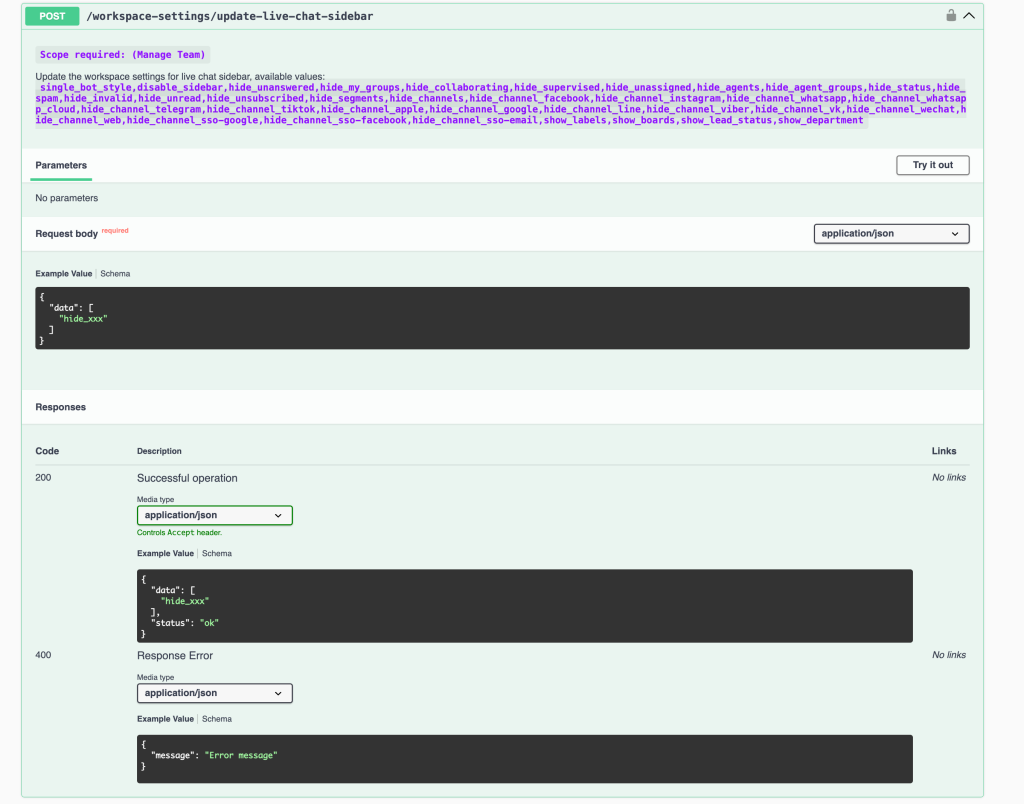
Feature: add API to update workspace settings for live chat sidebar features
## New Feature
### Workspace API — Configure Live Chat Sidebar via API
A new Workspace API endpoint lets you programmatically control which features, filters, and channels are visible in the Live Chat sidebar — replicating the full set of options available in the Workspace Settings UI.
#### New Endpoint
| Method | Endpoint | Description | |--------|----------|-------------| | `POST` | `/workspace-settings/update-live-chat-sidebar` | Update workspace settings for the live chat sidebar |
#### Request Body
Send a JSON object with a `data` array containing the feature flags you want to activate:
```json { "data": [ "hide_xxx" ] } ```
#### Available Values
Pass any combination of the following flags in the `data` array:
#### What's New - 🖥️ **Full programmatic control over the Live Chat sidebar layout** — show or hide any conversation filter, channel tab, or UI panel - 📦 No path parameters required — all configuration passed in the request body as a `data` array - 🔑 Requires **Manage Team** scope on your API token - ✅ 200 response confirms the active flags; 400 returns `{ "message": "Error message" }`
#### How to Use 1. Authenticate with your API key (**Manage Team** scope required) 2. Call `POST /workspace-settings/update-live-chat-sidebar` 3. Pass a JSON body with the `data` array listing all flags you want **active** 4. Flags not included in the array are treated as disabled/visible by default
Full API docs: [api#/Workspace/workspaceSettingsLiveChatSidebarUpdate](https://www.uchat.com.au/api#/Workspace/workspaceSettingsLiveChatSidebarUpdate)
#### Why It Matters - Partners can standardise Live Chat sidebar layouts across all client workspaces during provisioning - Combine with `POST /workspace-settings/update-channels` (released same day) for complete workspace configuration automation - Enables custom whitelabel experiences where only relevant channels and filters are shown per workspace